Building Your Second Brain With Notion AI for University Life
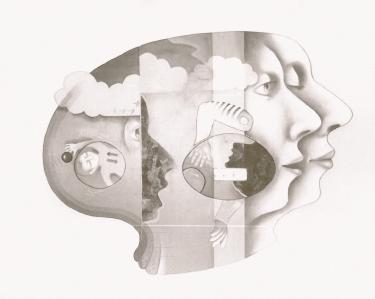
Your brain wasn’t designed to remember everything. It evolved to think, analyze, and create-not to store the date of your economics midterm or that brilliant thesis idea you had at 2 AM.
That’s where building a “second brain” comes in. And for university students juggling lectures, assignments, research, and some semblance of a social life, Notion AI offers one of the most powerful ways to create one.
What Exactly Is a Second Brain?
The concept comes from productivity expert Tiago Forte. A second brain is an external system-digital, in this case-where you capture, organize, and retrieve everything important. Notes from lectures - research snippets. Project ideas - random insights.
Think of it as outsourcing your memory so your actual brain can focus on understanding and connecting ideas rather than desperately trying to recall them.
Notion already works well for this. But Notion AI takes it further. It can summarize your notes, generate study guides, find patterns across your content, and answer questions about information you’ve already stored. Your second brain becomes genuinely intelligent.
Step 1: Set Up Your Central Dashboard
Start by creating a single page that serves as your home base. Call it “Student Hub” or “University HQ”-whatever makes you want to actually open it.
Add these core databases:
- Course Tracker: One entry per class with properties for professor, schedule, syllabus link, and grade weight breakdown
- Assignment Database: Due dates, status, priority level, and linked course
- Notes Repository: Tagged by course, date, and topic
- Reading List: Articles, papers, and books with status tracking
Why this structure matters: You’re creating a single source of truth. When everything lives in one connected system, nothing falls through the cracks. That paper due next Tuesday? It’s linked to your course notes, your research sources, and your assignment tracker.
Connect these databases using Notion’s relation property. Your assignment database should link to your courses. Your notes should link to both. This interconnection is what transforms scattered information into an actual system.
Step 2: Capture Everything Without Judgment
Here’s where most students go wrong: they try to organize while capturing. Don’t.
Create a dedicated “Inbox” page. Everything goes there first-lecture notes, article links, random thoughts, assignment ideas. Just dump it in.
Use the Notion Web Clipper to save articles directly while researching. On mobile, share links straight to your Inbox page. In class, type or handwrite notes directly into Notion.
The key is reducing friction to zero. If capturing something takes more than 10 seconds, you won’t do it consistently.
Once a day-maybe between classes or before bed-process your Inbox. Move items to their proper databases. Add tags - link related content. This separation between capturing and organizing protects your creative thinking from getting interrupted by administrative decisions.
Step 3: Use Notion AI as Your Research Assistant
This is where your second brain gets genuinely useful. Notion AI can work with content you’ve already stored.
Say you’ve collected 15 pages of notes on postcolonial literature across three weeks of lectures. Select all that content, hit the AI button, and ask: “Summarize the key themes and theorists discussed.
You’ll get a structured overview in seconds. Not a replacement for understanding the material-but a powerful way to review and identify gaps in your comprehension.
Other practical uses:
- Generating study questions: “Create 10 exam-style questions based on these notes”
- Explaining concepts: “Explain this passage in simpler terms”
- Finding connections: “How does this week’s content relate to what we covered in week 2? "
- Drafting outlines: “Create an essay outline arguing that…
Notion AI works with your content. It’s not pulling generic information from the internet-it’s synthesizing what you’ve specifically captured. That’s what makes it valuable for academic work.
Step 4: Build Templates for Repeated Workflows
University life involves the same types of tasks over and over. Lectures - readings. Essays - problem sets. Each one follows a pattern.
Create templates for these patterns:
Lecture Note Template:
- Date and course properties at the top
- Key concepts section
- Questions that came up during class
- Action items (follow-up readings, problems to work through)
- AI summary section to fill in after class
Essay Planning Template:
- Thesis statement workspace
- Argument structure with supporting evidence blocks
- Source tracking with proper citation info
- Drafting area with word count
Weekly Review Template:
- What I accomplished
- What’s due next week
- Blockers and challenges
- AI-generated summary of notes from the past week
Templates save time. But more importantly, they ensure consistency. Every lecture note follows the same structure, which makes information easier to find and review later.
Step 5: Create a Weekly Review Ritual
Your second brain only works if you maintain it. Set aside 30 minutes each Sunday-protect this time ruthlessly.
During your weekly review:
- Process any remaining Inbox items
- Review your assignment database and update statuses
- Check your calendar for the upcoming week
- Read through your notes from the past week
- Use Notion AI to generate a summary of what you learned
This ritual prevents the gradual chaos that kills most productivity systems. Things stay organized because you consistently organize them. Simple but non-negotiable.
Troubleshooting Common Problems
“My system got messy and I abandoned it.”
This happens when you skip the weekly review. But but: a messy system is better than no system. Spend one hour doing a recovery session. Archive old content - process your Inbox aggressively. Start the weekly review habit again.
“I’m spending more time organizing than studying.”
You’ve over-engineered your setup - simplify ruthlessly. You probably don’t need 15 different properties on your notes database. Three to five is enough. The system should serve you, not become a procrastination tool.
“Notion AI gives generic responses.”
Be more specific with your prompts. Instead of “summarize this,” try “extract the three main arguments and their supporting evidence” or “explain how this concept applies to [specific situation]. " The AI responds to the quality of your questions.
“I forget to capture things.”
Put Notion on your phone’s home screen. Use the share sheet constantly. Make the Inbox your browser’s start page. The solution is always reducing friction, not willpower.
What This System Actually Gives You
A functioning second brain won’t make you smarter. But it will make you more effective.
You’ll stop losing track of deadlines. You’ll find your notes when you need them. You’ll make connections between ideas from different courses that would have stayed isolated in separate notebooks. When exam time comes, you’ll have organized, summarized material ready for review instead of chaos.
And Notion AI specifically helps you engage with your captured information in ways that would take hours manually. Generating study questions - creating summaries. Finding themes across weeks of content.
The goal isn’t a perfect system. It’s a functional one that you actually use. Start with the basics: a dashboard, an inbox, and the habit of capturing. Refine from there based on what you actually need.
Your brain will thank you for the help.