How Gamma and Smallppt Replace PowerPoint for Student Projects
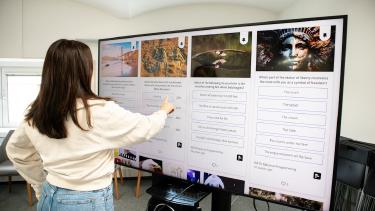
Priya had 36 hours before her sociology capstone presentation. Her slides looked like a 2008 corporate training deck-clip art energy, walls of text, and a color scheme that clashed with itself. She’d spent more time fighting PowerPoint’s formatting quirks than actually thinking about her argument. The toolbar felt like a cockpit she’d never been trained to fly.
Her roommate, halfway through a marketing degree, glanced at the screen and said three words: “Try Gamma instead.”
That one suggestion changed how Priya builds presentations. Not because Gamma is magic. Because it removed the friction between having an idea and showing it to a room full of people.
This is the story a growing number of students are living right now. PowerPoint still dominates campus computer labs, but two AI-powered alternatives-Gamma and Smallppt-are quietly replacing it for project work, pitch decks, and in-class presentations. Each tool takes a different approach to the same problem: turning rough ideas into polished slides without the usual design headache.
What Happened When Priya Opened Gamma
Gamma works like a conversation. Priya typed a one-paragraph summary of her capstone topic-how social media algorithms shape political polarization among Gen Z voters-and the tool generated a full slide deck in about 90 seconds. Not a perfect deck. But a solid first draft with a logical structure, relevant section breaks, and visuals that actually matched her theme.
Think of it like an architect handing you a floor plan based on your description of the house you want. You still pick the paint colors and move the furniture, but the bones are already there.
Priya swapped a few images, tightened some wording, and adjusted the color palette to match her university’s branding. The whole process took roughly 40 minutes. Her previous PowerPoint attempt had burned three hours and still looked unfinished.
Gamma’s free tier gives students enough room to build a solid presentation without paying. The AI generates layouts that follow actual design principles-contrast, hierarchy, whitespace-rather than dumping text onto blank slides and hoping for the best. It also exports to PDF and PowerPoint format, so professors who require .pptx submissions won’t raise an eyebrow.
But Gamma isn’t the only option worth examining.
Smallppt Takes a Different Route
Across campus, a computer science student named Marcus faced a different challenge. His senior project required a technical presentation with code snippets, architecture diagrams, and performance benchmarks. Gamma handled narrative presentations well, but Marcus needed something more structured.
Smallppt appealed to him because it offered finer control over individual slide elements while still using AI to handle the heavy lifting. Where Gamma excels at generating entire decks from a prompt, Smallppt works more like a smart assistant sitting next to you as you build each slide. Feed it bullet points or a rough outline, and it suggests layouts, reformats your content, and recommends visual treatments.
The difference matters. Gamma is a sprinter-fast results from minimal input. Smallppt is more of a co-pilot-it matches your pace and lets you steer. For Marcus’s technical deck, that extra control meant he could ensure his code blocks rendered correctly and his diagrams stayed crisp.
Smallppt also includes templates designed for academic presentations, which proved useful. Marcus picked a clean, minimal theme and let the AI populate his outline across 18 slides. He then spent time refining the content rather than wrestling with alignment guides and font sizes. His final deck took about an hour-roughly half what he’d normally spend in PowerPoint for a technical presentation of that length.
One honest limitation: Smallppt’s free tier is more restrictive than Gamma’s. Students who need frequent access might hit the generation cap within a week of heavy use. For a single capstone project, though, the free version usually covers it.
Choosing the Right Tool for the Assignment
Priya and Marcus didn’t abandon PowerPoint because they hated it. They abandoned it because the time-to-quality ratio didn’t make sense anymore. A student juggling five courses, a part-time job, and maybe a social life doesn’t have four hours to kern text and align boxes. These AI tools compress the design phase so the thinking phase gets more room.
Here’s a practical way to decide between them. If the assignment is narrative-heavy-think persuasive essays turned into slides, book reports, case study overviews-Gamma handles it cleanly. Paste in your thesis and supporting points, let the AI draft the deck, then edit. The output tends to feel more polished out of the box, with better visual storytelling.
If the assignment demands precision-data-heavy research presentations, technical demos, proposals with strict formatting requirements-Smallppt’s slide-by-slide approach gives the control needed to get details right. It won’t auto-generate a full deck as quickly, but the individual slides come out more customizable.
And PowerPoint? It still works. Nobody’s saying otherwise. For students who already know their way around it and enjoy the design process, it remains a capable tool. The shift isn’t about PowerPoint being bad. It’s about time being limited and these alternatives being faster for most student use cases.
Some professors care about the tool used. Most don’t. They care about clear communication, logical flow, and evidence that the student understood the material. Both Gamma and Smallppt export to standard formats. The slides look indistinguishable from PowerPoint-made decks in the final output.
Priya presented her capstone the next afternoon. The slides were clean, the structure was tight, and she spent her prep time rehearsing her argument instead of troubleshooting layout issues. She got an A-minus-docked a point for rushing through one section, not for slide quality.
Marcus presented later that week. His technical deck earned praise from his advisor, who assumed he’d hired a designer. He hadn’t. He’d spent that time debugging his actual code instead.
Both students kept using their respective tools for the rest of the semester. Neither opened PowerPoint again.