AI Lab Report Generators That Science Students Actually Trust
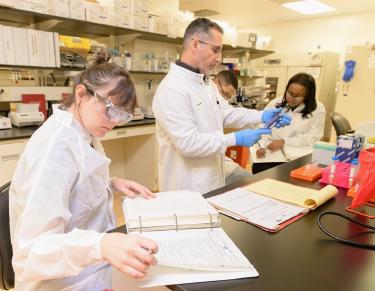
Writing lab reports ranks among the most tedious tasks in any science curriculum. You spend hours in the lab running experiments, then face another marathon session formatting data, calculating error margins, and wrestling your findings into proper scientific prose. AI tools promise to cut that workload dramatically. But here’s the catch: most science students remain skeptical. And they should be.
Why Most AI Writing Tools Fail Science Students
General-purpose AI assistants struggle with lab reports for specific reasons. They hallucinate data - they misunderstand significant figures. They produce generic conclusions that any professor spots instantly.
A chemistry student at UC Berkeley shared her experience testing ChatGPT for organic chemistry reports: “It suggested mechanisms that don’t exist. The arrow-pushing was completely wrong. " She earned a zero on that assignment.
The problem isn’t that AI can’t help with lab reports. It’s that you need specialized tools designed for scientific writing-ones that understand error propagation, proper citation formats, and discipline-specific conventions.
Tools That Actually Work (And How to Use Them)
1. Paperpal for Scientific Writing
Paperpal comes from the same company behind Researcher app, built specifically for academic and scientific content. Unlike general grammar checkers, it understands scientific terminology and won’t flag legitimate technical terms as errors.
How to use it effectively:
- Write your raw draft first-don’t let AI generate your content from scratch
- Run your methods section through Paperpal’s consistency checker
- Use the paraphrase tool only for sentences you’ve already written
Paperpal costs about $12/month for students. Worth it if you’re submitting multiple reports weekly.
2. SciSpace (formerly Typeset) for Formatting
Formatting eats up 30% of lab report time for most students. SciSpace handles this differently than Word or Google Docs.
Upload your institution’s template once. The tool learns the specific requirements-margin widths, figure caption styles, reference formats. Then it applies those rules automatically to every report you write.
Step-by-step setup:
- Find a graded report that scored well (borrow from a friend if needed)
- Upload it as your template in SciSpace
- Let the system analyze heading styles, spacing, and citation format
The free tier works for most undergrad needs. Graduate students often need the $8/month plan for advanced citation management.
3. Julius AI for Data Analysis
This one deserves special attention. Julius connects directly to spreadsheets and performs statistical analysis through conversation.
Say you ran a titration experiment with 15 trials. Upload your Excel file. Ask Julius: “Calculate the standard deviation and identify any outliers using Chauvenet’s criterion. " It shows the math, explains the reasoning, and generates properly formatted tables.
Critical warning: Always verify Julius’s calculations manually for at least your first three reports. The tool handles routine statistics well but occasionally misinterprets column headers or units.
4. Consensus for Literature Context
Your introduction needs to situate your experiment within existing research. Consensus searches only peer-reviewed papers and synthesizes findings without hallucinating sources.
Type your research question: “What factors affect reaction rate in esterification? " Consensus returns actual papers with real DOIs. Click any claim to see the original source.
This beats Google Scholar for one reason: it summarizes consensus across papers rather than making you read 20 abstracts.
Building a Workflow That Professors Won’t Question
Here’s the approach that keeps you on the right side of academic integrity while saving real time.
Phase 1: Do the thinking yourself
Complete your experiment. Record observations in your own words. Identify what your data shows before opening any AI tool. This step isn’t optional. Your understanding forms the foundation that makes AI assistance legitimate rather than fraudulent.
Phase 2: Use AI for specific, mechanical tasks
- Converting handwritten notes to typed format (speech-to-text tools work here)
- Checking unit consistency across calculations
- Formatting citations you’ve already identified
- Generating figure captions from your descriptions
- Proofreading for grammar and clarity
Phase 3: Verify everything
Run your numbers manually. Check that AI-formatted citations match your sources. Read the final report aloud-does it sound like you? If your roommate would notice the voice shift, revise.
Red Flags That Get Students Caught
Professors have seen thousands of lab reports. They notice patterns.
Sudden style changes: Your previous reports used simple sentences. This one features complex subordinate clauses throughout. That inconsistency triggers scrutiny.
Impossible precision: Your measurements came from a scale accurate to 0. 01g. But your report discusses differences of 0. 001g. AI tools often add false precision.
Generic analysis: Phrases like “the data clearly demonstrates” or “these results align with theoretical predictions” without specific numbers suggest AI padding.
Perfect formatting with conceptual errors: Beautiful graphs paired with misinterpreted trends. AI excels at presentation but misses meaning.
What About Free Options?
Claude and ChatGPT can help with lab reports if you use them carefully. The key is specificity.
Bad prompt: “Write a discussion section for my enzyme kinetics lab.”
Good prompt: “I measured these Km and Vmax values [insert data]. My textbook says typical Km for this enzyme is 2. 5mM. Help me articulate why my value of 3. 1mM might differ, considering temperature variation and substrate purity as possible factors.
The second prompt keeps you as the author. You’re using AI to clarify your own reasoning, not generate conclusions from nothing.
The Honest Truth About Time Savings
Realistic expectations matter. AI tools won’t reduce a 6-hour lab report to 30 minutes. They might reduce it to 4 hours-if you already understand the material.
The time savings come from:
- Faster formatting (30-45 minutes saved)
- Quicker citation checking (15-20 minutes)
- Grammar review (10-15 minutes)
- Data table generation (20-30 minutes)
You still need to run calculations, interpret results, and write original analysis. Those tasks require your brain, not an algorithm.
Getting Started Today
Pick one tool from this list. Just one. Try it on your next report.
My recommendation for most students: start with Julius AI for data analysis. It addresses the most time-consuming mechanical task while keeping you fully responsible for interpretation.
Once you’re comfortable, add SciSpace for formatting. Then consider Paperpal if scientific writing itself remains a struggle.
Stack these tools gradually - master each before adding another. This approach builds skills rather than dependencies.
And keep your raw lab notes. Forever. They prove your work is your own if questions ever arise.